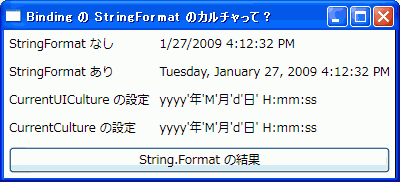
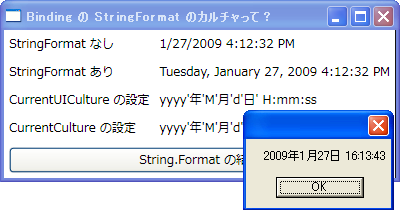
最大化ボタン・最小化ボタン・システムメニューのないウインドウの実装を考え中。
これもありか?
using System;
using System.Runtime.InteropServices;
using System.Windows;
using System.Windows.Interop;


namespace WindowStyleProject
{
    public abstract class StyledWindow : Window
    {
        const int GWL_STYLE = -16;


        /// <summary>
        /// ウインドウスタイルを上書きする
        /// 継承先でオーバーライドする
        /// </summary>
        /// <param name="windowStyle">現在のウインドウスタイル</param>
        /// <returns>新たに設定するウインドウスタイル</returns>
        protected virtual WindowStyleEnum OverrideWindowStyle (WindowStyleEnum windowStyle)
        {
            return windowStyle; // デフォルトは変更なし
        }


        /// <summary>
        /// ウインドウスタイルを設定する
        /// </summary>
        /// <param name="e"></param>
        protected override void OnSourceInitialized (EventArgs e)
        {
            base.OnSourceInitialized (e);


            // 現在のウインドウスタイルを取得
            IntPtr handle = (new WindowInteropHelper (this)).Handle;
            var originalWindowStyle = (WindowStyleEnum) GetWindowLong (handle, GWL_STYLE);


            // 継承先で更新された値を取得
            var newWindowStyle = this.OverrideWindowStyle (originalWindowStyle);


            // 上書き
            if (originalWindowStyle != newWindowStyle)
                SetWindowLong (handle, GWL_STYLE, (uint) newWindowStyle);
        }


        [DllImport ("user32.dll")]
        static extern uint GetWindowLong (IntPtr hWnd, int nIndex);


        [DllImport ("user32.dll")]
        static extern uint SetWindowLong (IntPtr hWnd, int nIndex, uint dwNewLong);


    }


    public enum WindowStyleEnum : uint
    {
        //
        // Window Styles
        //
        WS_OVERLAPPED = 0x00000000,
        WS_POPUP = 0x80000000,
        WS_CHILD = 0x40000000,
        WS_MINIMIZE = 0x20000000,
        WS_VISIBLE = 0x10000000,
        WS_DISABLED = 0x08000000,
        WS_CLIPSIBLINGS = 0x04000000,
        WS_CLIPCHILDREN = 0x02000000,
        WS_MAXIMIZE = 0x01000000,
        WS_CAPTION = 0x00C00000,     // WS_BORDER | WS_DLGFRAME
        WS_BORDER = 0x00800000,
        WS_DLGFRAME = 0x00400000,
        WS_VSCROLL = 0x00200000,
        WS_HSCROLL = 0x00100000,
        WS_SYSMENU = 0x00080000,
        WS_THICKFRAME = 0x00040000,
        WS_GROUP = 0x00020000,
        WS_TABSTOP = 0x00010000,


        WS_MINIMIZEBOX = 0x00020000,
        WS_MAXIMIZEBOX = 0x00010000,


        WS_TILED = WS_OVERLAPPED,
        WS_ICONIC = WS_MINIMIZE,
        WS_SIZEBOX = WS_THICKFRAME,
        WS_TILEDWINDOW = WS_OVERLAPPEDWINDOW,


        //
        // Common Window Styles
        //
        WS_OVERLAPPEDWINDOW = (WS_OVERLAPPED |
                             WS_CAPTION |
                             WS_SYSMENU |
                             WS_THICKFRAME |
                             WS_MINIMIZEBOX |
                             WS_MAXIMIZEBOX),


        WS_POPUPWINDOW = (WS_POPUP |
                             WS_BORDER |
                             WS_SYSMENU),


        WS_CHILDWINDOW = (WS_CHILD),
    }


}
使い方は、StyledWindow を継承して、OverrideWindowStyle をオーバーライドする。
// Window1.xaml
namespace WindowStyleProject
{
    /// <summary>
    /// Window1.xaml の相互作用ロジック
    /// </summary>
    public partial class Window1 : StyledWindow
    {
        public Window1 ()
        {
            InitializeComponent ();
        }


        protected override WindowStyleEnum OverrideWindowStyle (WindowStyleEnum windowStyle)
        {
            return windowStyle & (~WindowStyleEnum.WS_SYSMENU);
        }
    }
}
あーでも、XAML のほうも書き換えなきゃな。これがうざい。
<local:StyledWindow x:Class="WindowStyleProject.Window1"
    xmlns="http://schemas.microsoft.com/winfx/2006/xaml/presentation"
    xmlns:x="http://schemas.microsoft.com/winfx/2006/xaml"
    xmlns:local="clr-namespace:WindowStyleProject"
    Title="Window1" Height="300" Width="300">
    <Grid>
        <!-- 中略 -->
    </Grid>
</local:StyledWindow>